BIEs Tab
The "BIEs" tab is available to all users.
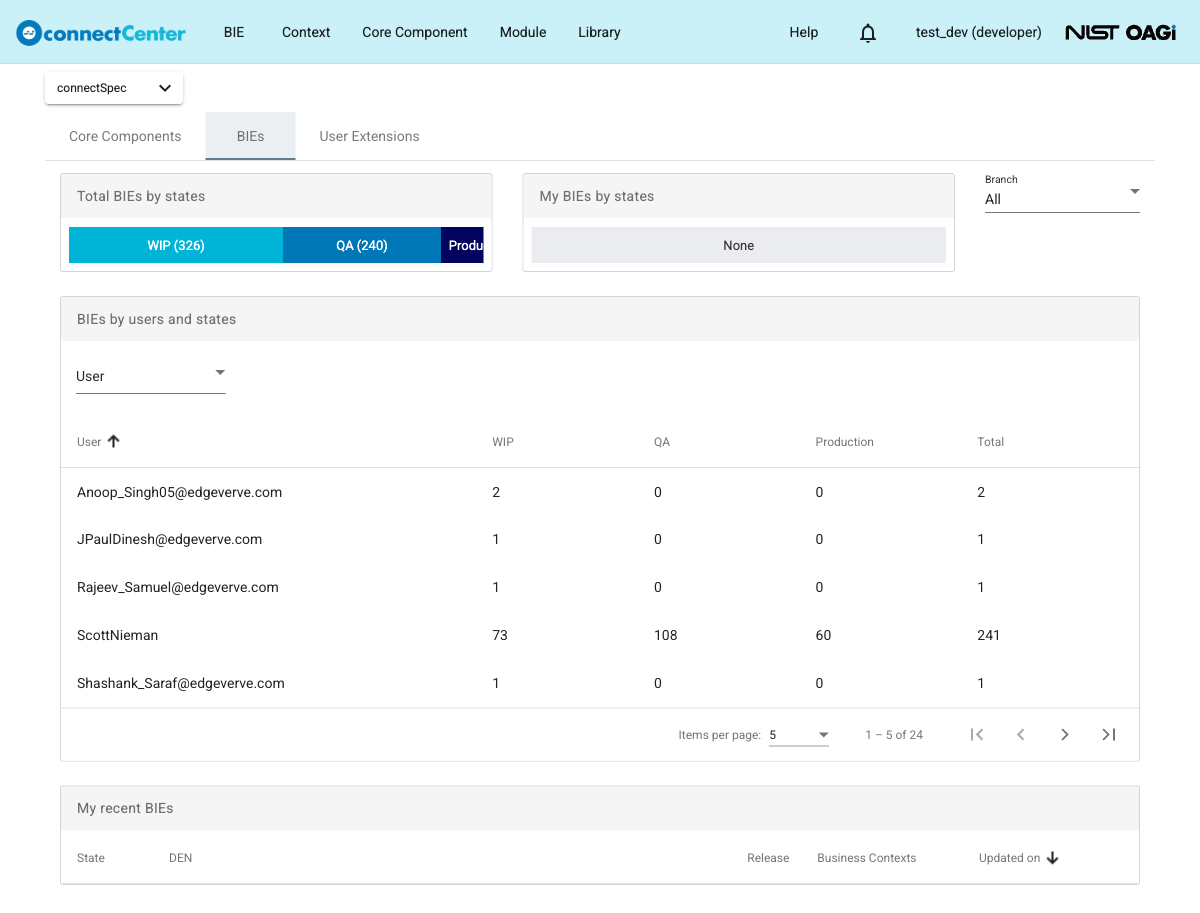
This tab provides analytics about BIEs and comprises the following panels:
-
"Total BIEs by states". This panel displays the number of all BIEs by state for the selected branch. The states shown on this tab are WIP, QA, and Production. Each state value is a link to the "BIEs" page with the matching state filter applied.
-
"My BIEs by states". This panel displays the number of BIEs owned by the current user by state for the selected branch.
-
"BIEs by users and states". This panel displays the number of BIEs by user and by state. It also includes a "User" filter. To narrow the results, click the "User" field and select one or more users. The values in the table are links to the "BIEs" page with matching filters applied.
-
"My recent BIEs". This panel displays recently updated BIEs for the current user. The table shows the State, DEN, Release, Business Contexts, and update information.
Branch selector
The "Branch" drop-down field at the top right of the "BIEs" tab allows filtering these panels by release.
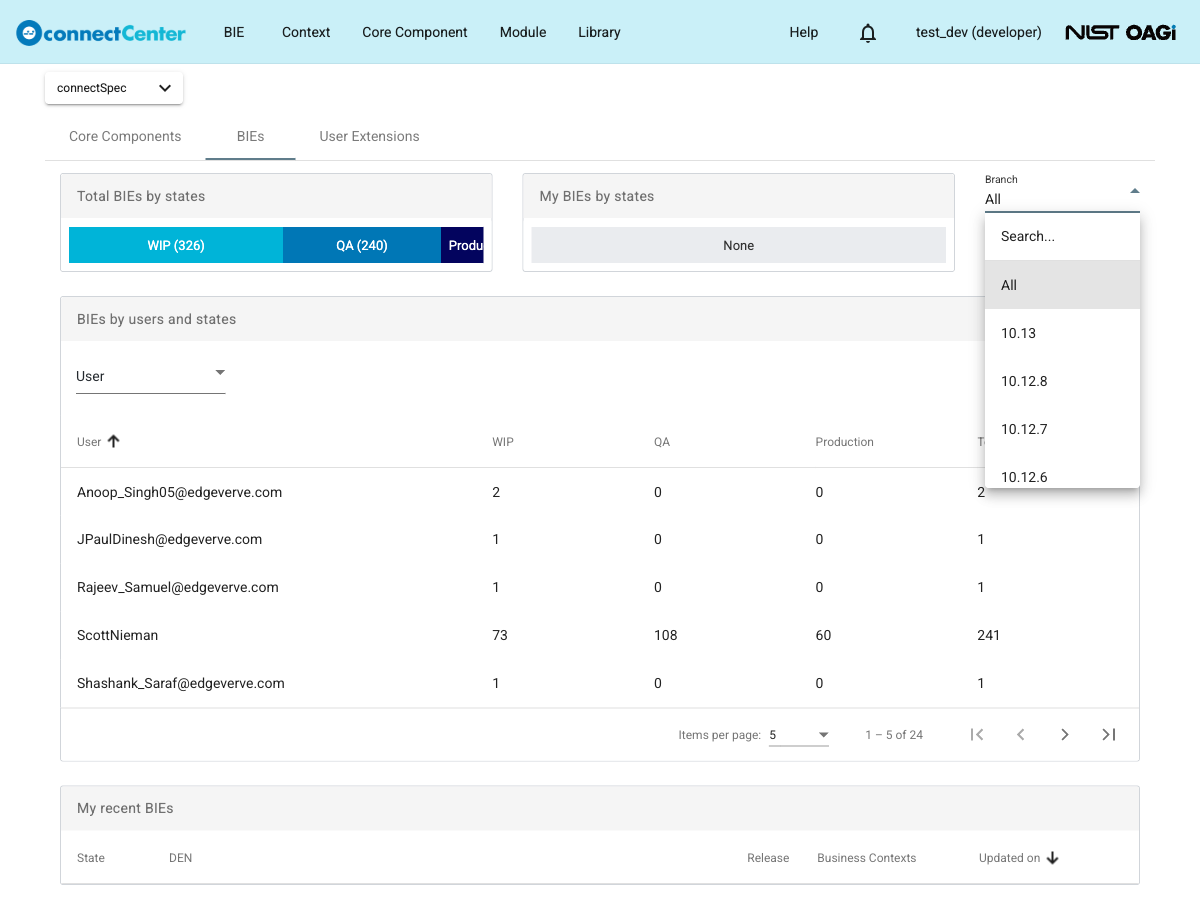
The branch list includes an "All" option. When "All" is selected, the summary panels on the tab show totals across all available releases.
The "BIEs" and "User Extensions" tabs share the branch selection: changing the branch on one tab also applies to the other. The selection is remembered in the browser and restored on the next visit.