Create a connectSpec BOD
connectCenter includes a macro for creating a connectSpec BOD from a Verb and a Noun. The macro is available to developers when the connectSpec library and the Working branch are selected. To create a connectSpec BOD:
-
Click on the "View/Edit Core Component" menu item under the "Core Component" menu, if you are not already on the "Core Component" page.
-
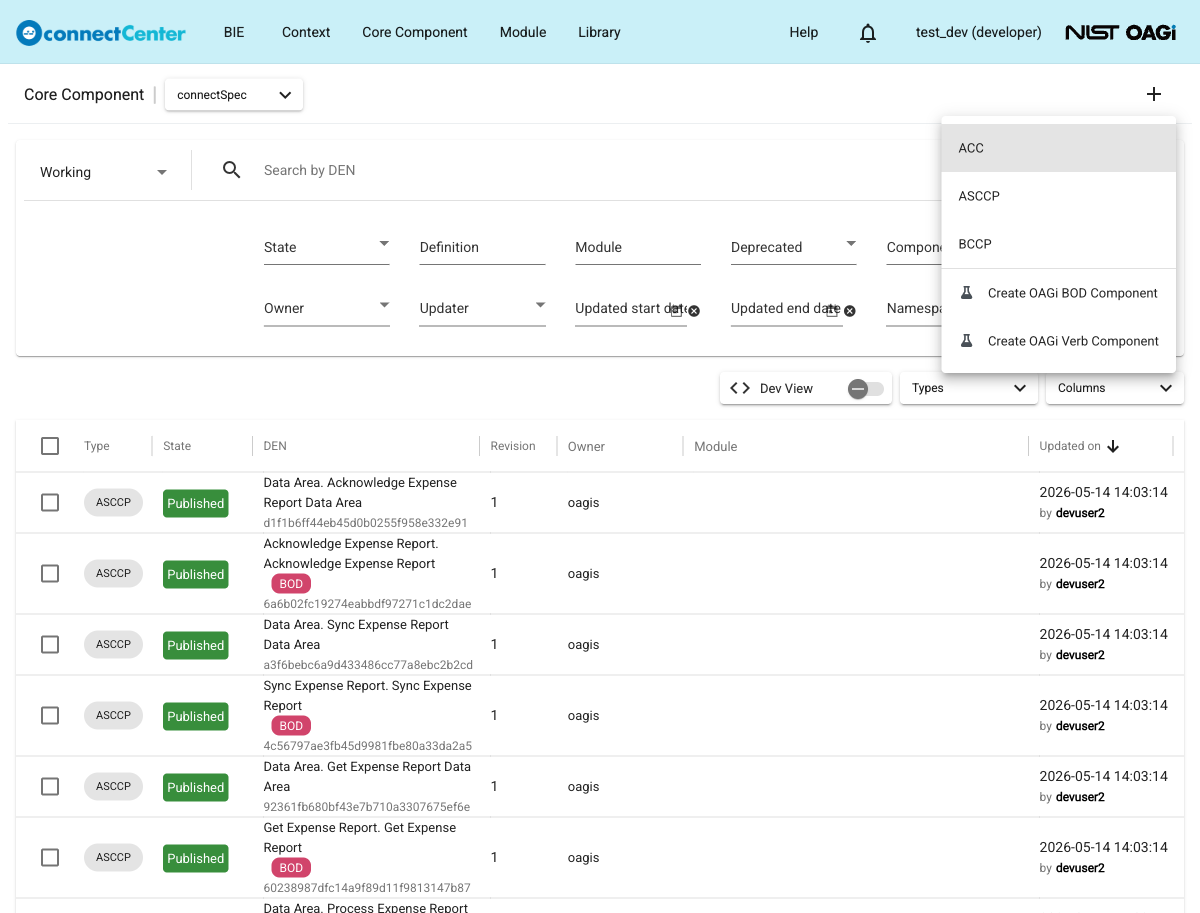
Click the plus (+) button at the top-right of the page.
-
Select "Create OAGi BOD Component".
-
A dialog opens up where a Verb can be selected on the left side ("Select Verb to create BOD") and a Noun can be selected on the right side ("Select Noun to create BOD"). Both sides list ASCCPs: the left side those tagged "Verb" and the right side those tagged "Noun". Use the filters on the top to find and select a Verb and a Noun. Multiple Verbs and multiple Nouns can be selected; and pairwise BODs will be created.
-
Click the "Create" button at the bottom of the dialog. Once at least one Verb and one Noun are selected, the button label previews the outcome, e.g. "Create 'Cancel Inventory Count'" (with "and N more" when several pairs are selected).
-
For each Verb-Noun pair, four CCs are automatically created with appropriate structures and relationships: a Data Area ACC, a non-reusable "Data Area" ASCCP, a BOD ACC based on the "Business Object Document" ACC, and the BOD ASCCP (automatically tagged "BOD"). A message such as "A new BOD created." is shown and the "Core Component" page reloads; with the default sort by "Updated on", the new CCs appear at the top of the list, where the developer can manage the states of the new CCs altogether.
The Create OAGi BOD macro needs some standard connectSpec CCs: the "Business Object Document" ACC must exist in the working release, and every selected Verb and Noun ASCCP must have a namespace assigned. If these prerequisites are not met, the macro will fail.