Multi-tenant mode feature restrictions
Features not available
The following features are not available to users when connectCenter is in multi-tenant mode:
-
Module Management: the "Module" menu is removed from the top menu.
-
Library management: the "Library" menu is removed from the top menu.
-
Make BIE reusable: the context menu item stays disabled in the BIE editor.
-
Create ABIE extension locally or globally: the "Create ABIE Extension Locally" and "Create ABIE Extension Globally" context menu items stay disabled in the BIE editor.
-
Business Term Management: the business term function is automatically disabled when multi-tenant mode is enabled and cannot be re-enabled while the mode is on.
-
End-user Code List management for users without the Admin right: the "View/Edit Code List" and "Uplift Code List" menu items under the "BIE" menu stay disabled.
The BIE menu of an end user reflects these restrictions; note also that the top menu has no "Module", "Library", or "Context" menu:
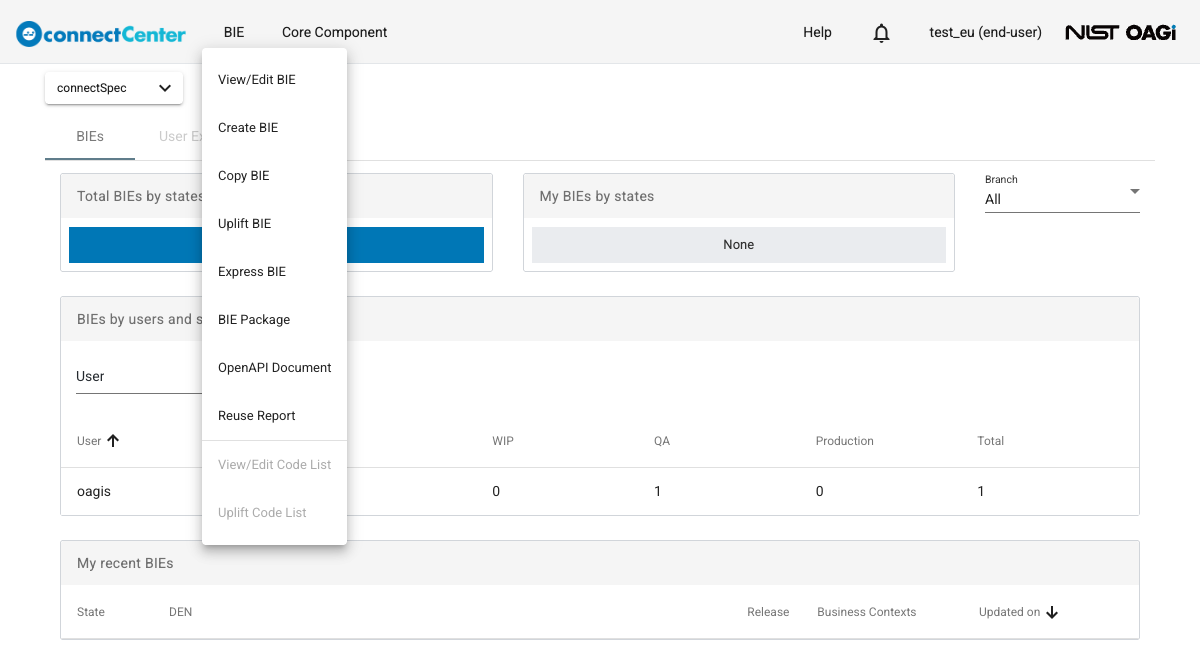
Features with restricted behavior
-
Create BIE: a user must be associated with a tenant to be able to create a BIE. For a user who is not associated with any tenant, the "Create BIE" menu item stays disabled.
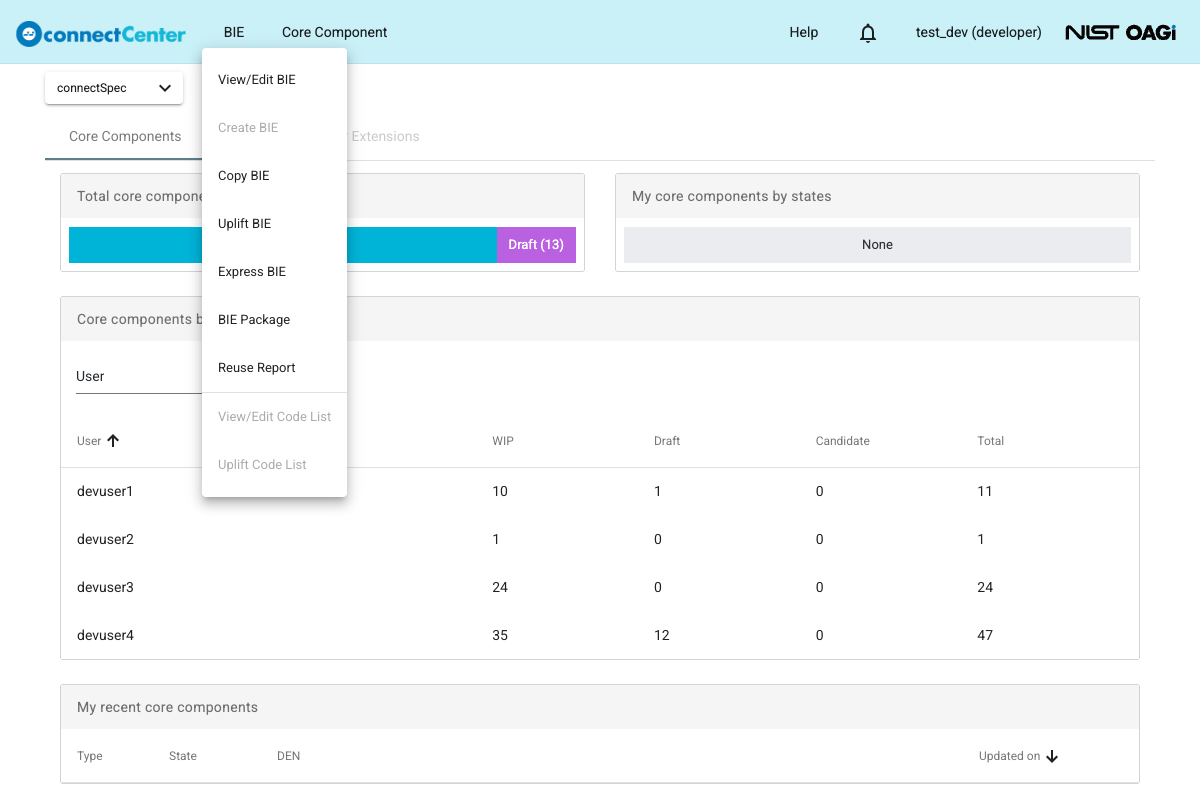
-
Manage associations between business contexts (BCs) and BIEs:
-
The BCs available to the user are limited by tenant association. When creating or copying a BIE, the business context selection lists only the BCs of the tenants the user is associated with, and a "Tenant" column shows the owning tenant of each BC.
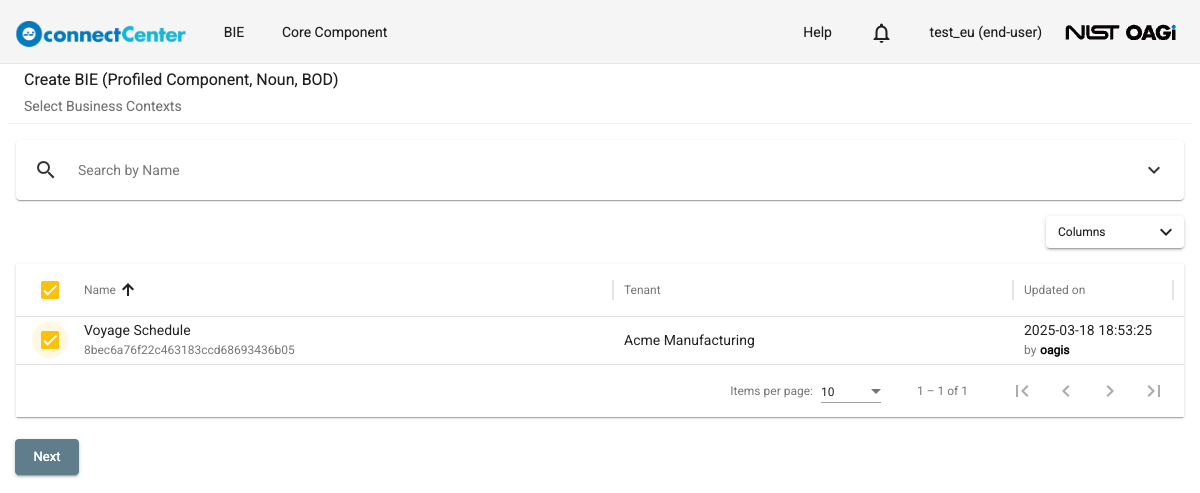
-
Users who are not associated with a tenant cannot create a BIE because they cannot assign a business context during BIE creation.
-
Admin users do not have special authorization in this case.
-
-
Manage context: the "Context" menu is shown only to users with the Admin right.
-
Transfer BIE ownership: users to whom BIE ownership may be transferred are limited to users associated with tenants associated with business contexts associated with the BIE.
The home page statistics and the BIE lists follow the same visibility rule: users see the BIEs whose business contexts are associated with their tenants, plus the BIEs whose business contexts do not belong to any tenant.